第22章:設定(Options)をDIで扱う:ハードコード卒業🎛️
この章は「設定値」も**立派な依存(Dependency)**として扱って、コードをスッキリ&安全にする回だよ〜😊💉 (最近の .NET では Options パターンが“標準の型安全なやり方”として整理されてるよ)(Microsoft Learn)
この章のゴール🎯🌸
appsettings.jsonの設定を クラスにして 受け取れる(型安全)✨(Microsoft Learn)IOptions<T>/IOptionsSnapshot<T>/IOptionsMonitor<T>の使い分けがわかる👀(Microsoft Learn)- 起動時に設定ミスを検知して、早めに落とせる(ValidateOnStart)✅(Microsoft Learn)
- 「設定が変わったら追従したい」もできる(Monitor)🔁(Microsoft Learn)
1) まず“ハードコード地獄”を卒業しよ😵➡️😊
こういうの、見覚えある?🧩
- APIのURLがコードに直書き🌐
- タイムアウトが謎の数字でベタ書き⏱️
- 開発と本番で値が違うのに、if文だらけ🙈
つらい理由はこれ👇
- 値を変えるたびにビルド&デプロイが必要😇
- どこに設定があるか探すのが大変🔎
- テスト時に設定差し替えが面倒🧪
そこで登場するのが Options パターンだよ🎛️✨(Microsoft Learn)
2) Options パターンってなに?(超ざっくり)🍰
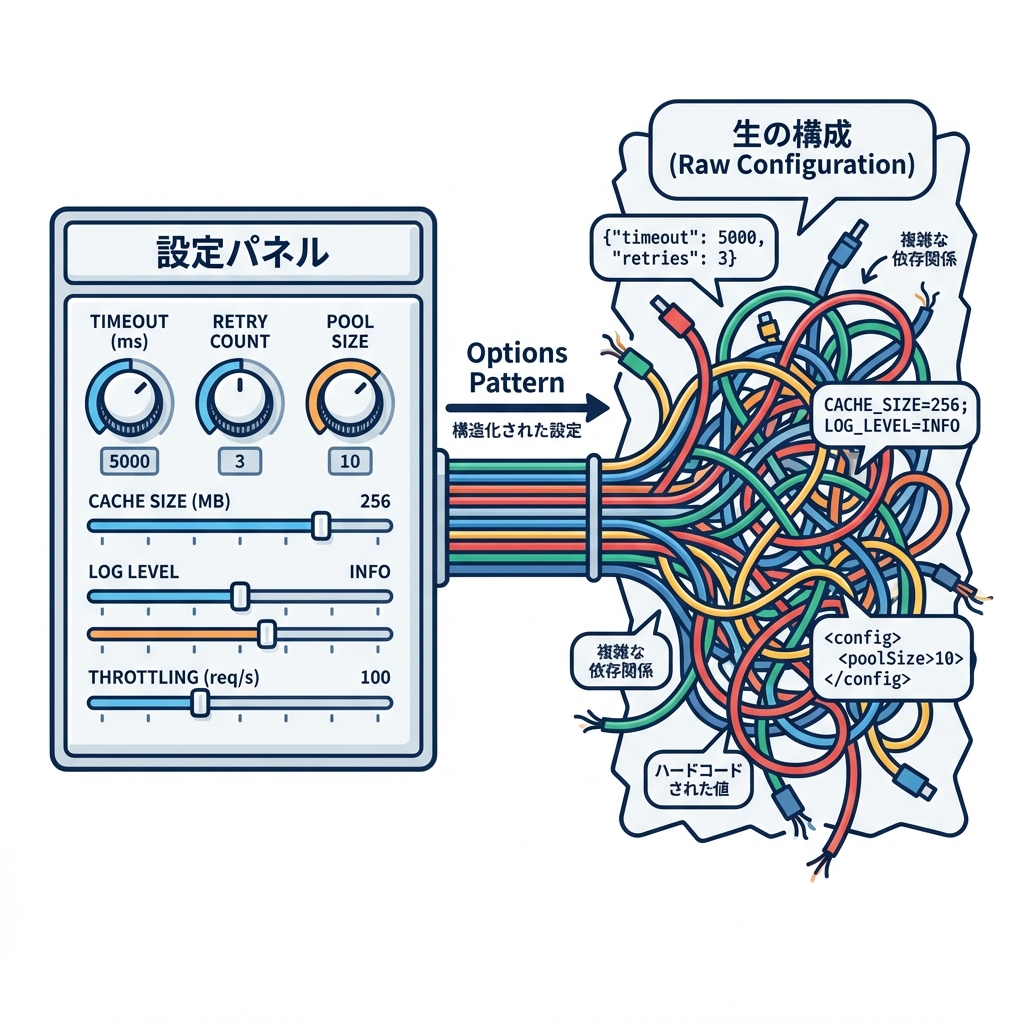
**「設定のまとまり」=「C#のクラス」**にして、DIで受け取るやり方だよ😊
たとえば「天気API設定」を WeatherApiOptions みたいにする感じ🌤️
- 設定:
appsettings.json(セクションでグルーピング) - 受け皿:
WeatherApiOptions(型付き) - 受け取り:
IOptions<WeatherApiOptions>など
3) ミニ実装で体に入れよ💪✨(天気APIの例🌤️)
(A) appsettings.json を作る📝
{
  "WeatherApi": {
    "BaseUrl": "https://example.com/",
    "TimeoutSeconds": 5
  }
}
(B) Optionsクラス(設定の“入れ物”)を作る🎁
using System.ComponentModel.DataAnnotations;

public sealed class WeatherApiOptions
{
    public const string SectionName = "WeatherApi";

    [Required]
    [Url]
    public string BaseUrl { get; init; } = "";

    [Range(1, 60)]
    public int TimeoutSeconds { get; init; } = 5;
}
ポイント😊
SectionNameを置くと、紐づけが迷子になりにくいよ🧭[Required][Range]みたいに バリデーションも書ける✅(あとで起動時チェックするよ)
(C) Program.cs で「設定→Options」へBindしてDI登録💉
(.NET 10 世代の書き方でOKだよ〜)(Microsoft)
using Microsoft.Extensions.DependencyInjection;
using Microsoft.Extensions.Hosting;

var builder = Host.CreateApplicationBuilder(args);

// Options登録:設定セクションをクラスへバインド🎛️
builder.Services
    .AddOptions<WeatherApiOptions>()
    .Bind(builder.Configuration.GetSection(WeatherApiOptions.SectionName))
    .ValidateDataAnnotations()
    .ValidateOnStart(); // 起動時に設定ミスを検出して落とす✅

builder.Services.AddSingleton<WeatherClient>();
builder.Services.AddHostedService<DemoHostedService>();

using var host = builder.Build();
await host.RunAsync();
ValidateOnStart() は「実行してから爆発💥」じゃなくて「起動時に気づく✅」にできる機能だよ〜!(Microsoft Learn)
(D) 使う側:IOptionsで受け取る🎣
using Microsoft.Extensions.Options;

public sealed class WeatherClient
{
    private readonly WeatherApiOptions _opt;

    public WeatherClient(IOptions<WeatherApiOptions> options)
    {
        _opt = options.Value;
    }

    public string Describe()
        => $"BaseUrl={_opt.BaseUrl}, Timeout={_opt.TimeoutSeconds}s";
}
(E) 動かす(HostedServiceで確認)▶️
using Microsoft.Extensions.Hosting;
using System.Threading;
using System.Threading.Tasks;

public sealed class DemoHostedService : IHostedService
{
    private readonly WeatherClient _client;

    public DemoHostedService(WeatherClient client) => _client = client;

    public Task StartAsync(CancellationToken cancellationToken)
    {
        Console.WriteLine(_client.Describe());
        return Task.CompletedTask;
    }

    public Task StopAsync(CancellationToken cancellationToken) => Task.CompletedTask;
}
4) IOptions / Snapshot / Monitor の使い分け🍱✨
ここが一番大事かも👀 「設定が変わる可能性ある?」で選ぶと迷いにくいよ〜!
✅ IOptions
- 基本の読み取り
- 起動後に設定ファイルが変わっても反映されない(固定でOKな設定向き)(Microsoft Learn)
✅ IOptionsSnapshot
- Webアプリなどで「リクエストごとに取り直したい」向き
- Scoped(スコープ単位)(Microsoft Learn)
✅ IOptionsMonitor
- 「動いてる最中に設定が変わったら追従したい」向き🔁
- Singletonでも使いやすい(いつでも最新を取れる)(Microsoft Learn)
OnChangeで変更イベントも取れる🎉
5) “設定変更に追従”してみる(IOptionsMonitor)🔁✨
using Microsoft.Extensions.Options;

public sealed class WeatherClient
{
    private readonly IOptionsMonitor<WeatherApiOptions> _monitor;

    public WeatherClient(IOptionsMonitor<WeatherApiOptions> monitor)
    {
        _monitor = monitor;

        _monitor.OnChange(opt =>
        {
            Console.WriteLine($"🎛️ 設定変わったよ! BaseUrl={opt.BaseUrl}");
        });
    }

    public string Describe()
    {
        var opt = _monitor.CurrentValue;
        return $"BaseUrl={opt.BaseUrl}, Timeout={opt.TimeoutSeconds}s";
    }
}
「起動後の変更を読みたいなら Snapshot / Monitor を使う」っていうのが公式の整理だよ🧠✨(Microsoft Learn)
6) よくある事故と対策🚧🙈
事故①:セクション名がズレて、全部デフォルト値😇
"WeatherApi"とSectionNameが合ってるかチェック✅- 対策:
ValidateOnStart()+ValidateDataAnnotations()が超効く🛡️(Microsoft Learn)
事故②:設定ミスに気づくのが“実行中”💥
- 対策:やっぱり
ValidateOnStart()✅(起動時に落としてくれる)(Microsoft Learn)
事故③:サービスに IConfiguration を直接注入しがち
- できるけど、乱用すると「どこで何を読んでるか」が見えにくいよ〜🙈
- 対策:基本は Options に寄せる(セクション単位で“意味のある設定の塊”にする)🎛️(Microsoft Learn)
7) テストがめっちゃ楽になる裏ワザ🧪💖
Options は テストで差し替えやすいのが最高ポイント✨
using Microsoft.Extensions.Options;
using Xunit;

public class WeatherClientTests
{
    [Fact]
    public void Describe_includes_values()
    {
        var opt = Options.Create(new WeatherApiOptions
        {
            BaseUrl = "https://test/",
            TimeoutSeconds = 9
        });

        var client = new WeatherClient(opt);

        Assert.Contains("https://test/", client.Describe());
    }
}
「設定は外から渡せる=テストが楽」って、DIの気持ちよさが出るところだよ〜🥰
8) ちょい上級:設定バインドを“生成コード”で速く&安全に(おまけ)⚡🤖
.NET 8 から Configuration binding source generator が入ってて、反射ベースのバインドを避けたいときに使えるよ(AOT/トリミングにも嬉しい)(Microsoft Learn) 必要なら csproj にこれ👇
<PropertyGroup>
  <EnableConfigurationBindingGenerator>true</EnableConfigurationBindingGenerator>
</PropertyGroup>
「普段の開発で必須!」ってほどじゃないけど、“最新の流れ”として知っておくと強い💪✨
9) 演習(手を動かすコーナー)✍️🌷
演習1:ハードコードをOptionsへ引っ越し🚚
TimeoutSeconds = 5みたいな直書きを探して、appsettings.jsonへXxxOptionsを作ってBind()して、サービスはIOptions<XxxOptions>で受け取る💉
演習2:わざと壊して ValidateOnStart で守る🛡️
BaseUrlを空にして起動してみる- 「ちゃんと起動時に止まる?」を確認✅(Microsoft Learn)
演習3:IOptionsMonitor で変更通知🔁
- 実行中に
appsettings.jsonのTimeoutSecondsを変えてみて、OnChangeが動くか確認🎉(Microsoft Learn)
10) Copilot / AI拡張の使いどころ🤖✨(そのままコピペOK)
- 「このコード内のハードコード設定っぽい値を列挙して、Optionsにまとめる案を出して」
- 「appsettings.json のセクション設計を提案して。将来項目が増えても破綻しない形で」
- 「Optionsクラスに DataAnnotations のバリデーションを付けて、起動時検証も入れた Program.cs を生成して」
- 「IOptions / Snapshot / Monitor のどれが適切か、私の要件(設定が実行中に変わる/変わらない)から判断して理由も説明して」
まとめ🎀🏁
- 設定値も依存!だから Optionsで型安全にDIが気持ちいい🎛️💉(Microsoft Learn)
- 起動時に設定ミスを潰すなら
ValidateOnStart()✅(Microsoft Learn) - 実行中に変わるなら
IOptionsMonitor、リクエスト単位ならIOptionsSnapshot🔁(Microsoft Learn)
次の章(第23章)は、同じ“外部寄りの依存”である ログ(ILogger) をDIで気持ちよく扱うよ〜🧾✨